Copy Trader
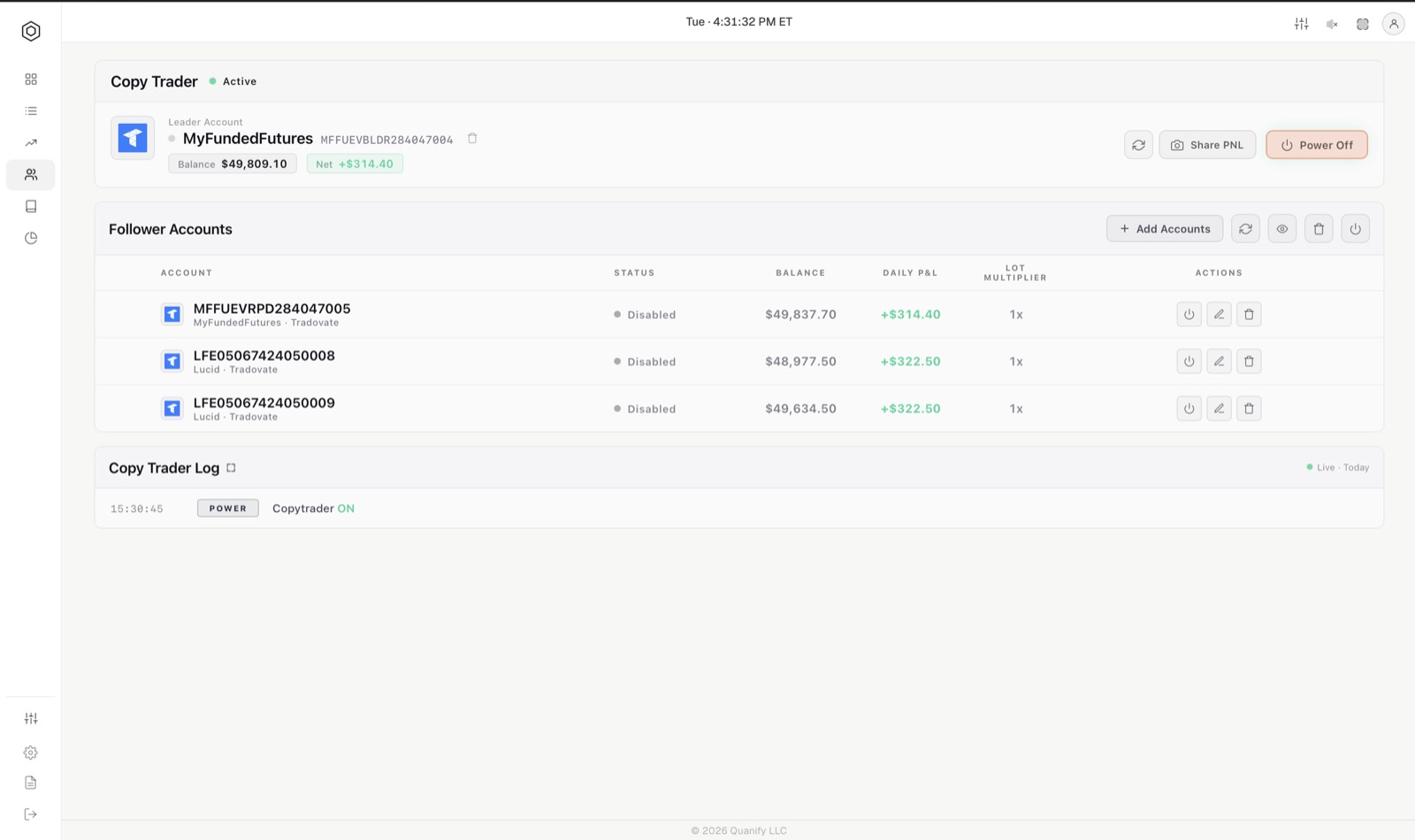
One leader account, followers that mirror it, each with its own lot multiplier. Built for manual traders. You trade the leader by hand and the rest follow. The tab is called the Cockpit.
How it works
- Select a leader: the account you trade yourself. The picker shows every connected sub-account with its broker and connection name.
- Add Followers: tick the accounts that should mirror it. A new follower lands disabled at 1×.
- Type each follower's multiplier straight into its cell and switch the follower on.
- Press Power On.
From then on, a fill on the leader is mirrored to every enabled follower as a market order, scaled by that follower's multiplier. The group, its followers and their switches are held by the engine, so the same Cockpit appears on every device you sign in from.
Lot multipliers are whole numbers
A follower's multiplier is an integer from 1 to 100. There is no fractional multiplier: no 0.5×, no half a contract, anywhere in Quanify. The leader is always 1, because the leader is the size the followers multiply.
So a 4-lot fill on the leader lands as 4 contracts on a 1× follower, 8 on a 2× follower and 12 on a 3× follower. If you want a follower to trade smaller than the leader, trade a smaller leader size and scale the others up.
This is how a mixed book is sized: a $50k evaluation account at 1× and a $100k funded account at 2× each trade their own risk band off the same leader fill.
What Power On changes
While Copy Trader is on, the leader and its enabled followers are muted for strategy signals. This is the interlock that stops one account taking both a strategy order and a mirrored order for the same move. Your trader cards read Copy Trading while it lasts, and their own on and off state is left untouched; powering Copy Trader off restores exactly what you had.
That mute is held by the engine, not by your browser. It matters more than it sounds: you can power Copy Trader on at your desk and off from your phone and it still releases correctly, because the record of what was muted does not live in whichever browser you happened to use.
A follower you had already switched off is not muted at all. You turned it off, so its own strategies keep running as normal.
Rules worth knowing
- Ownership gate. A fill only ever clones to accounts you own. The engine checks that on every fan-out rather than trusting a decision made at setup time.
- A fill is copied once. Mirroring is per execution: a leader order that fills in three pieces produces three mirrored fills, and the same execution reported twice does not become two orders.
- Exits mirror like entries. A close on the leader closes the followers, sized to what each one is actually holding rather than to what it should theoretically be holding.
- Only fills are copied today. The leader's resting limit and stop orders are not placed on followers yet. Copy Working Orders sits in the Cockpit's settings marked coming soon.
- An account can sit out. Switch a follower off, and the rest of the group keeps running.
- Powering off releases only what Copy Trader muted. A mute you applied by hand is never touched, in either direction.
- Nothing is flattened. Powering Copy Trader off stops the mirroring. It does not close anything on the leader or on any follower.
The group table
The table is the copy group: the leader first, then each follower with its switch, account, broker, open quantity, symbol, position and multiplier. Columns sort. A follower's Flatten button market-closes what that account holds, and the remove control takes it out of the group after a confirmation. The leader cannot also be a follower; picking an account as leader takes it out of the follower list.
Open Orders
Below the group sits the live book: every open position and every resting order across the group, grouped by symbol with the leader's row heading each group. It updates from the engine as fills and order changes land. Each group has Flatten for its positions and Cancel All for its resting orders; single orders can be cancelled on their row. Every action asks you to confirm and reports how many accounts it reached.
Flatten All
Flatten All in the toolbar market-closes every open position on every account in the group and cancels its working orders. It runs only because you pressed it and confirmed.
Copy Trader and Automation together
They share your broker connections, so an account is available to both, but not at the same instant, by design. When Copy Trader is on it takes precedence and your strategy traders stand down for the accounts it drives. When it is off, they resume exactly as they were.
How many followers your plan includes is on Plans and billing.